This site is a multi-page application with five distinct regions. Each region uses the rendering model that best fits its workload: WebGL for spatial scenes, Canvas 2D for a painterly interactive field, and semantic HTML/CSS for long-form project files. The engineering work was making those systems feel like one site. You can open the origami hub or view the source code.
region 01 · the origami hub
Three.js as an interaction router
The landing region renders five folded objects in a transparent WebGL canvas. The objects are assembled from small Three.js geometries and materials, so their vertices can be moved directly during a flight, flood, refold, bloom, or garden transition. Avoiding external model files also removes a separate model-download and parsing step from the first screen.
The fold is not a decorative layer placed above navigation. It is the navigation state. A click or tap dispatches the action assigned to the current object; drag input rotates it without activating the route. Mouse release and click events share one activation path, with a short suppression window preventing a desktop click from firing twice.
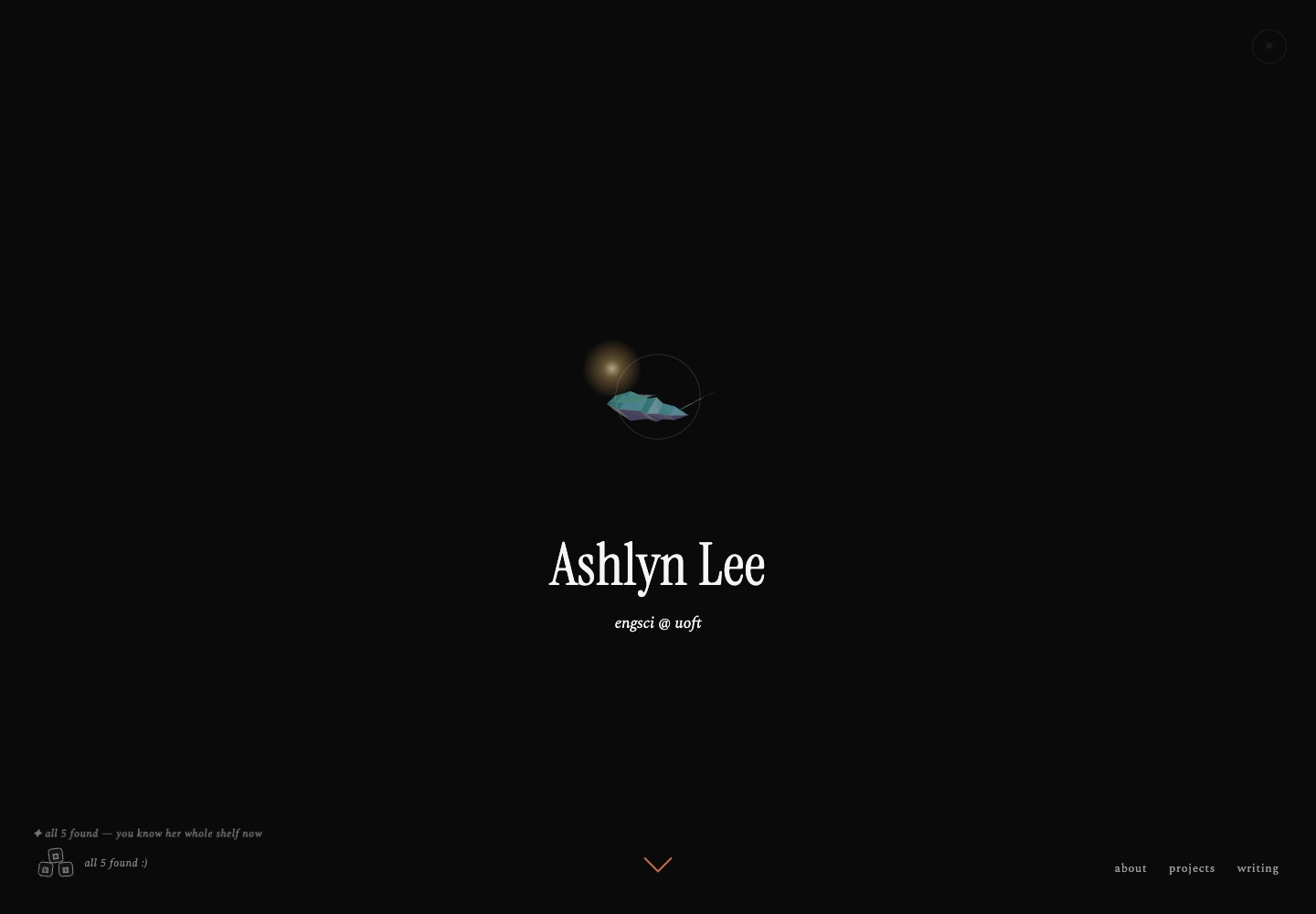 active foldWebGL object doubles as the current route
DOM controlsnavigation and theme remain outside the canvas
local statethe discovery counter survives reloads
active foldWebGL object doubles as the current route
DOM controlsnavigation and theme remain outside the canvas
local statethe discovery counter survives reloads
The selection policy is stored separately from animation state. A true first visit starts with the butterfly; later sessions can receive a different fold. The dice changes the active object, while a browser-local discovery set tracks which folds have appeared. Theme, bloom, discoveries, and sound are small independent values in localStorage, so refreshing or entering another region does not reset the interface unexpectedly.
region 02 · the musical field
A Canvas 2D world with painter’s-order depth
The field uses one high-DPI Canvas 2D surface instead of WebGL or hundreds of DOM nodes. Sky, hills, river, ground, props, the character, flowers, butterflies, and fireflies are drawn every frame. Objects are sorted by their ground position before rendering, creating 2.5D depth without a 3D scene graph.
Canvas was the smaller tool for this region: the scene is primarily layered illustration, while its interactions depend on screen-space hit testing. Device-pixel-ratio scaling keeps the linework sharp. Reduced-motion visitors receive a stable frame instead of a continuous loop.
 single canvasthe whole illustrated region redraws as one surface
parallax layerssky, hills, river, and meadow move at different rates
painter’s orderfeet position decides what draws in front
single canvasthe whole illustrated region redraws as one surface
parallax layerssky, hills, river, and meadow move at different rates
painter’s orderfeet position decides what draws in front
The field’s activities share the same render loop but keep their own state. Walking, flower collection, fireflies, and the whack-a-mole-style activity update independently. Collection totals and best scores persist locally. Sound begins only after a user gesture, satisfying browser autoplay rules, and the page follows the same saved light/dark preference as the hub.
region 03 · the watercolor garden
An orthographic scene embedded inside the index
The garden is not a separate navigation load. Clicking the firefly prepares a Three.js module inside a hidden host on the index page. A loading manager resolves every watercolor texture first; the garden dispatches a ready event only after textures, layout, and the first rendered frame are complete. The firefly glow covers the handoff, then fades once the finished scene can replace it.
An orthographic camera preserves the illustrated proportions. Transparent watercolor cutouts become textured planes arranged in depth, while small branch and flower rigs provide motion without deforming the artwork itself. Day and night use corresponding asset sets and the saved theme determines which set is presented.
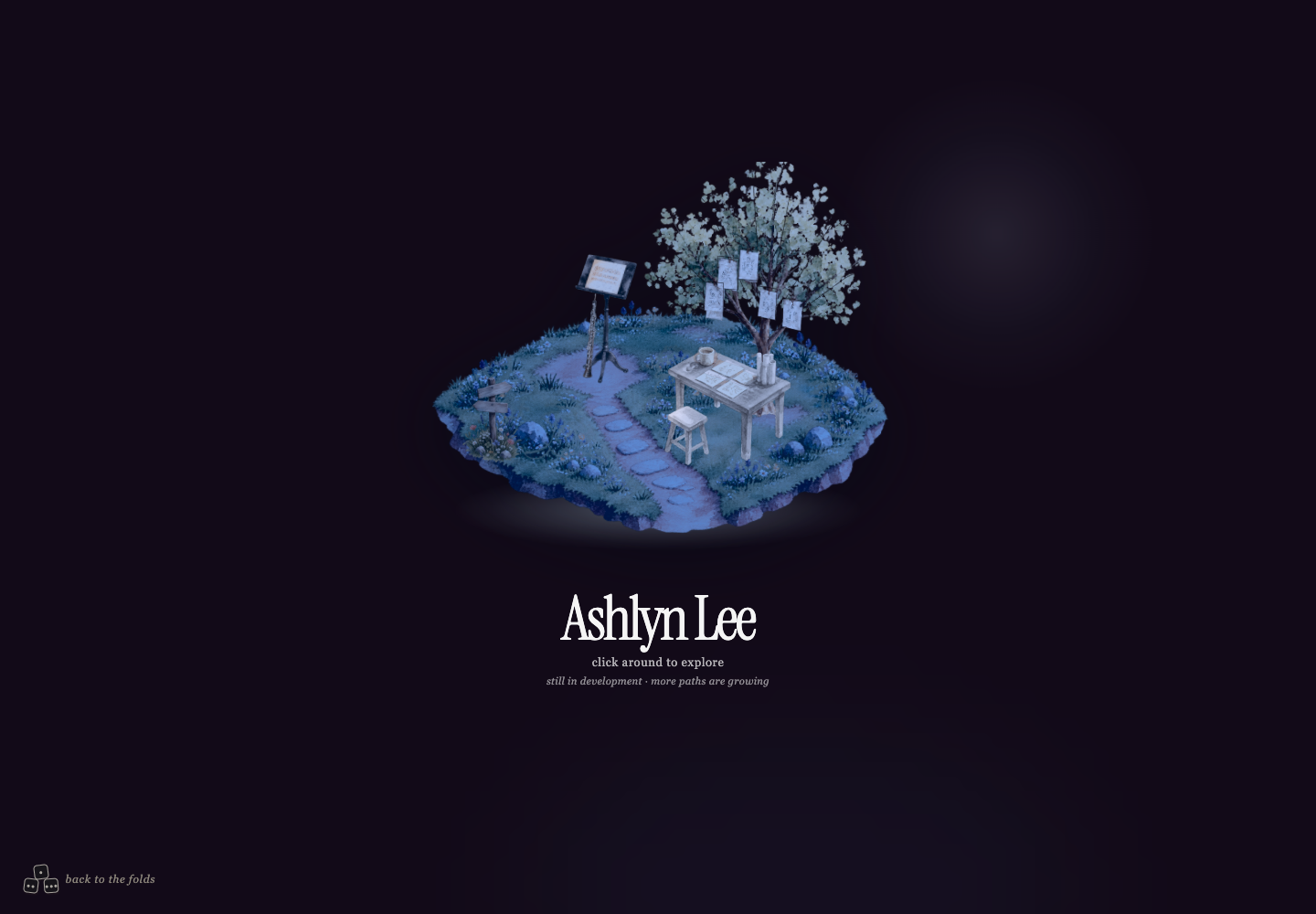 orthographic camerathe illustration keeps its intended proportions
layered planestree, desk, papers, and flowers retain separate depth
ready eventthe scene appears only after its first complete frame
orthographic camerathe illustration keeps its intended proportions
layered planestree, desk, papers, and flowers retain separate depth
ready eventthe scene appears only after its first complete frame
Interaction uses raycasting against deliberate hit meshes rather than the visible alpha of each painting. That gives the papers, tree, desk objects, sign, and coffee cup dependable click areas. The papers detach into a larger scrapbook panel with next/previous controls. The cup has its own fall state and audio. Pointer velocity bends the tree and flowers, while a short-range point light follows the cursor in place of the normal pointer.
region 04 · the river island
A separate full-screen WebGL application
The river region is the most resource-intensive part of the site, so it remains a separate page. It builds a low-poly island, shoreline, café, wildlife, avatar, instruments, clouds, and water directly in Three.js. A perspective camera follows the avatar while terrain-height and collision functions keep walking aligned with the island instead of treating the world as a flat plane.
The water uses a custom shader for animated displacement and shoreline colour. Character faces and interface portraits are drawn to canvas textures, which makes facial features stay attached to the model and lets avatar colours update without loading a new image. Audio and the steel-pan activity are unlocked through user input and high scores persist locally.
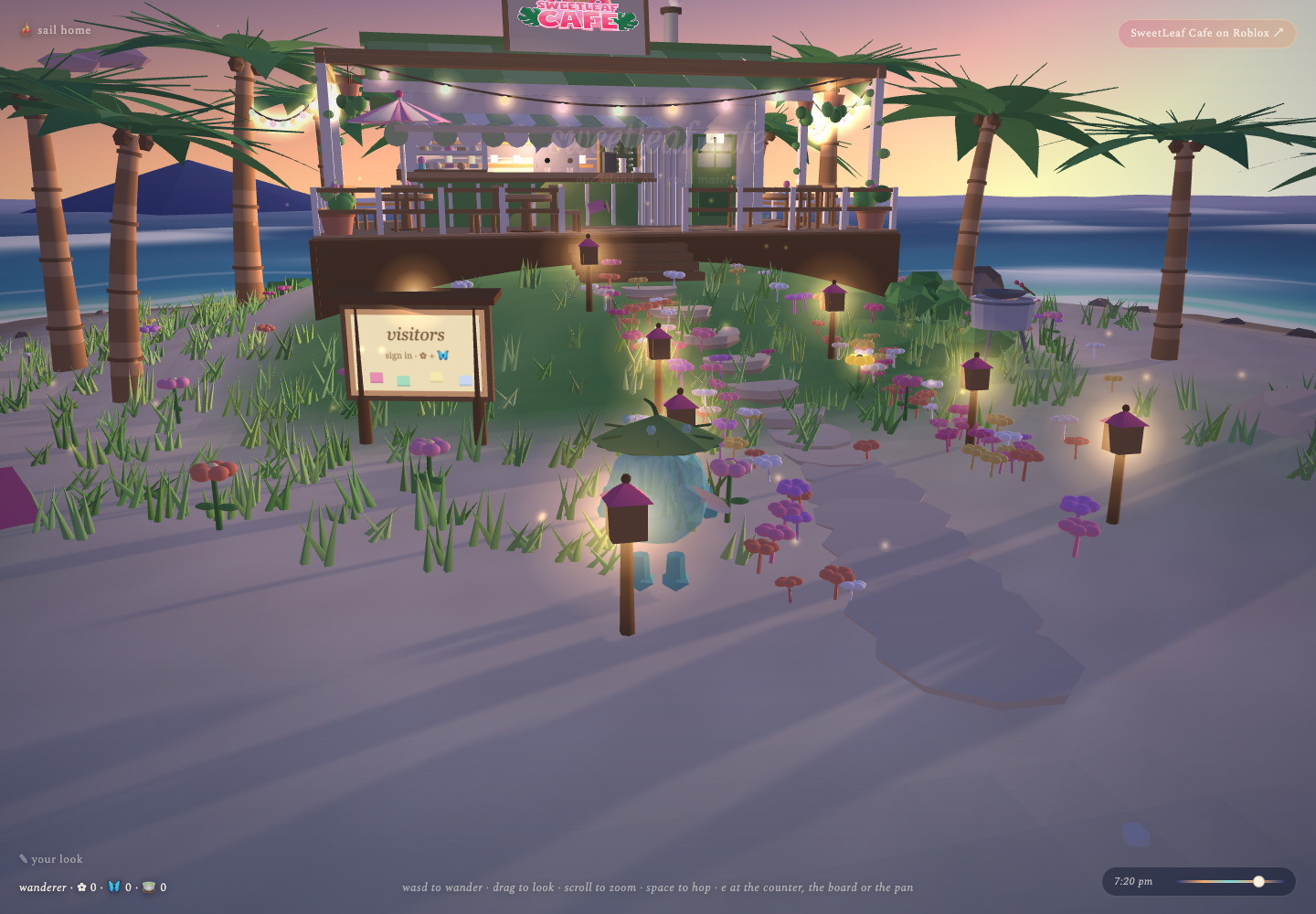 procedural worldterrain, café, props, and vegetation share one scene graph
shader waterthe shoreline and open water animate continuously
avatar systemcanvas textures keep the face attached to the model
procedural worldterrain, café, props, and vegetation share one scene graph
shader waterthe shoreline and open water animate continuously
avatar systemcanvas textures keep the face attached to the model
This region has a deliberate capability boundary. Coarse-pointer and narrow-screen devices receive a “coming soon for mobile” gate instead of an interaction that technically loads but is unpleasant to control. WebGL and dependency failures surface an on-page diagnostic. The tradeoff is reduced reach today, but it avoids pretending desktop keyboard movement has been made accessible merely by shrinking the canvas.
region 05 · project files
Static multi-page documents for the content-heavy region
Projects and writing use semantic HTML rather than a client-side application. Vite treats each page as an explicit build entry, while shared CSS and a small reveal script provide the diagonal panels, responsive media constraints, reading progress, and scroll-triggered motion. Direct file routes keep each case study independently linkable on Vercel.
This choice isolates long-form reading from the continuous render loops used elsewhere. A project page remains readable if WebGL is unavailable, images are constrained to the text column, and reduced-motion settings disable presentation animation without removing content.
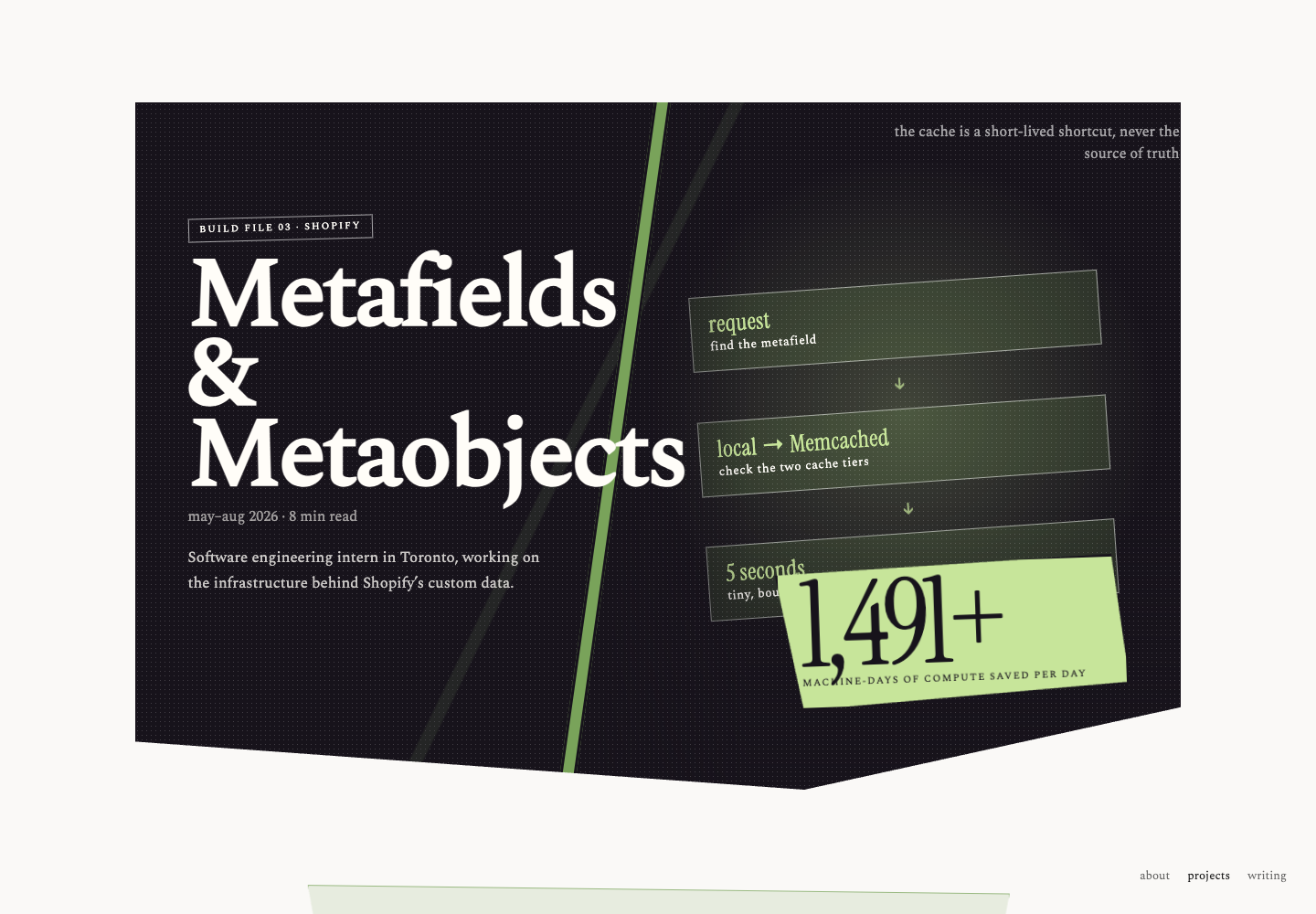 semantic documentthe title and narrative remain ordinary HTML
CSS compositiondiagonal cuts and impact cards create the visual hierarchy
independent routeeach file builds to a direct Vercel URL
semantic documentthe title and narrative remain ordinary HTML
CSS compositiondiagonal cuts and impact cards create the visual hierarchy
independent routeeach file builds to a direct Vercel URL
the boundary between regions
The difficult bugs tended to happen between renderers, not inside one. A route can start before its assets are ready. A mouse release can be followed by a synthetic click. Relative asset URLs can resolve differently on a Vercel path than on localhost. A theme can be correct on the source page and wrong during the transition frame.
await destination.prepare({ theme, sound });
source.beginTransition();
await destination.firstFrame;
destination.reveal();
source.release();
technical decisions that apply everywhere
- Use the smallest renderer that fits. Semantic HTML for reading, Canvas 2D for a layered illustration, and Three.js only where spatial transforms or shaders justify it.
- Separate durable state from animation state. Preferences and progress survive navigation; temporary flight, fall, and transition values do not.
- Treat loading as a visible state. A destination owns its readiness signal, and the source scene remains responsible until that signal arrives.
- Resolve assets from deployment-safe roots. Scene modules cannot assume the browser is currently at the site root.
- Design an honest fallback. Reduced motion removes movement, failure UI explains WebGL problems, and unsupported mobile controls stop before loading the heavy scene.
what I would change next
The current implementation proves the region boundaries, but some files have grown too large. I would split each world into renderer, state, audio, and interaction modules; add automated route and asset checks to the production build; and introduce visual regression tests for both themes at desktop and mobile widths. The river’s next major task is a touch-native control scheme rather than a desktop control overlay.
The central lesson was architectural: visual continuity does not require one rendering technology. It requires a clear lifecycle between technologies—who owns input, where state lives, when a destination is ready, and how the previous region leaves.
— ashlyn lee · end of file.